
There is no single legal list of cyber insurance requirements. Each insurer sets its own, but the same controls appear again and again, because they map to the claims insurers pay most often.
Quick answer: Insurers commonly ask small businesses about eight controls before quoting cyber insurance: enforced multi-factor authentication, endpoint detection and response, encrypted and tested backups, patching, a written incident response plan, staff security training, limited admin access, and email security. Requirements vary by insurer, and missing controls can mean higher prices or a declined application.
Key takeaways
- Requirements vary by insurer. Treat this list as the common core, then read each application.
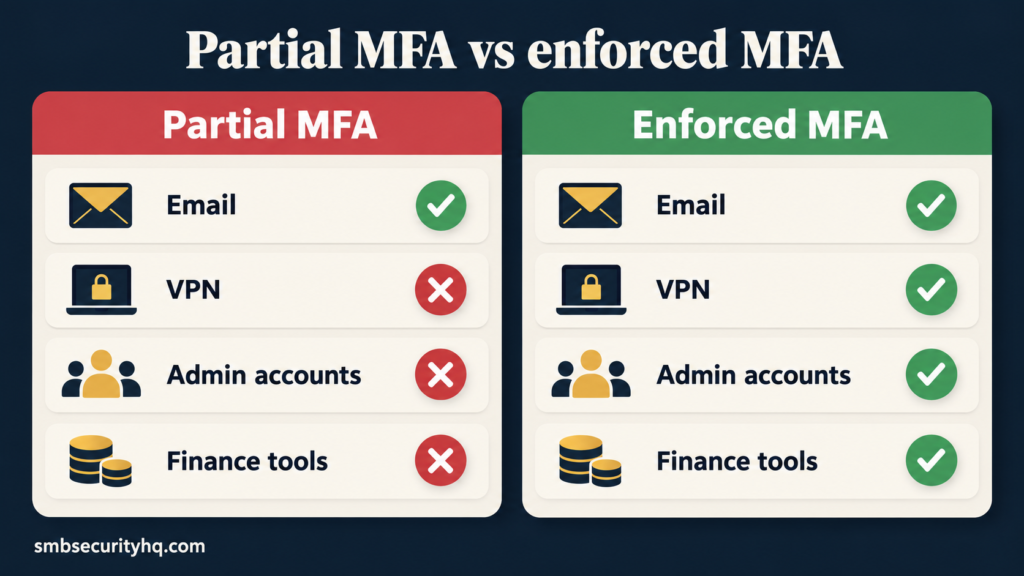
- MFA is the control most often scrutinized. Partial MFA is still a gap.
- Keep proof. Insurers increasingly want evidence: dates, screenshots, test results.
- Never guess on the application. Inaccurate answers can put a claim at risk.
On this page: Why insurers ask · The 8 controls · Evidence to keep · If you don’t meet them · Low-budget path · Checklist · FAQ
Why do insurers ask about your security?
Insurers price risk. A business that enforces MFA and tests its backups is less likely to file a large claim, so it gets better terms. The controls below line up with the claim types Coalition reports: business email compromise and funds transfer fraud together made up 58% of Coalition’s cyber incidents in its 2026 report, and average loss per claim was $116,000, with ransomware at $269,000.
| Claim type | Control insurers look for | Typical question |
|---|---|---|
| Business email compromise | MFA on email, email security | “Is MFA enforced for all email accounts?” |
| Funds transfer fraud | Payment verification procedure | “Do you verify bank-detail changes by phone?” |
| Ransomware | EDR, backups, patching | “Are backups offline or immutable? Tested?” |
| Data breach | Access control, encryption | “Who has admin rights?” |
Sources: Coalition 2026 Cyber Claims Report (Mar 5, 2026); Digacore; Cyber Readiness Institute.
What are the common cyber insurance requirements?
1. Multi-factor authentication (MFA), enforced
Insurers usually ask whether MFA protects email, remote access (VPN or remote desktop), administrator accounts, and finance or banking tools. “Available but optional” does not count. Turn it on for everyone.
2. Endpoint detection and response (EDR)
Old signature-based antivirus alone may not satisfy underwriters. EDR on every computer and server is the usual ask. See our EDR vs antivirus guide.
3. Encrypted backups with an isolated copy
Keep at least one copy that ransomware cannot reach: offline, or immutable. Encrypt backups.
4. Tested restores
A backup you have never restored is a guess. Run restore tests on a schedule and keep the results.
5. Patching with records
Operating systems, browsers, firewalls, and business apps should be updated on a defined cadence, with dates recorded.
6. A written incident response plan
Name who decides, who to call (your insurer’s breach hotline, IT, legal), and the first containment steps. One page is better than none.
7. Staff security training
Training on phishing and passwords, with completion records. Training is the control insurers can verify with a spreadsheet.
8. Limited admin rights, and email security with payment verification
Remove stale accounts and shared logins, give admin rights only where needed, filter email for phishing, and require a call-back to a known number before changing bank details.
What evidence should you keep?
| Control | Proof to keep |
|---|---|
| MFA | Admin console screenshot showing enforcement; user list |
| EDR | Dashboard showing every device covered |
| Backups | Backup job report; location and encryption setting |
| Restore test | Dated test log with result |
| Patching | Patch report or schedule with dates |
| Incident plan | The document, with owner and review date |
| Training | Completion list and dates |
| Admin access | Account review with date |
Store these in one folder. They also speed up renewal.
What happens if you don’t meet the requirements?
Possible outcomes include a higher premium, lower limits or sub-limits (for example on ransomware), added conditions, or a declined application. Digacore notes that gaps can also complicate claims. The fix is usually cheaper than the premium difference, so close the gaps first and then shop for quotes.
Answer applications honestly. If you cannot confirm a control, say so and ask your agent how to proceed. Do not tick a box you cannot prove.
How can a small business meet them on a low budget?
- Enable MFA in Microsoft 365 or Google Workspace. It is typically included in your existing plan.
- Pick one EDR sized for small teams. Compare options in our Best EDR for small business.
- Fix backups with one isolated copy and a calendar reminder to test.
- Use a free incident plan template such as the Cyber Readiness Institute’s Core Four policy template.
- Run short phishing training and log completion.
Cyber insurance readiness checklist
Tick each item before you request quotes:
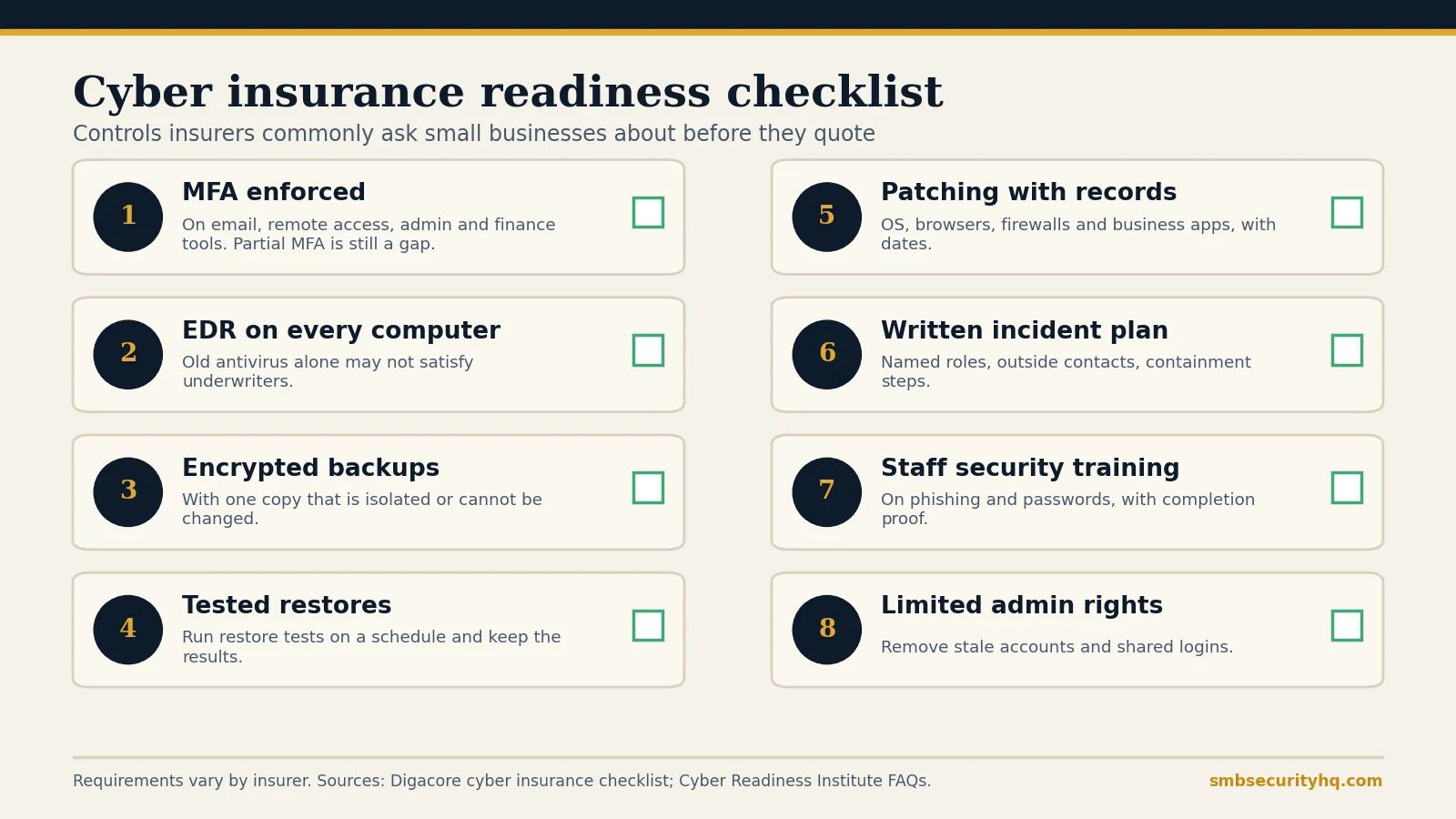
- ☐ MFA enforced on email, remote access, admin and finance tools
- ☐ EDR on every computer and server
- ☐ Encrypted backups with one isolated copy
- ☐ Restore test done and logged
- ☐ Patching schedule with dates
- ☐ Written incident response plan
- ☐ Staff training completed and recorded
- ☐ Admin rights reviewed; stale accounts removed
- ☐ Payment-change verification procedure in place
Check your readiness in two minutes: use our free Cyber Insurance Readiness Check. To compare quotes, see how much cyber insurance costs and the full buying guide.
Frequently asked questions
Is MFA required for cyber insurance?
Not by law, but many insurers ask about it first. Enforced MFA on email, remote access, admin accounts and finance tools is the most common requirement.
Do I need EDR for cyber insurance?
Many insurers ask about EDR, and old antivirus alone may not satisfy them. Requirements vary, so check your application.
Can I get cyber insurance without these controls?
Sometimes, but expect higher prices, lower limits, or a decline. Closing the gaps first usually gives better options.
Do insurers audit your security?
Some run external scans or ask for proof. Keep dated evidence for every control you claim.
Does a gap void my policy?
Inaccurate application answers can put a claim at risk. Answer honestly and ask your agent about your specific policy.
How long does it take to get ready?
Many small businesses can enable MFA and document backups within days. EDR rollout, training and testing may take a few weeks.
Sources
- Coalition: 2026 Cyber Claims Report (Mar 5, 2026)
- Digacore: Cyber insurance checklist
- Cyber Readiness Institute: Cyber insurance FAQs
Last updated October 1, 2026. Requirements vary by insurer; confirm with a licensed agent. SMB Security HQ provides general information, not insurance, legal, or financial advice. See our Affiliate Disclosure and How We Test.
Written by SMBSecurity Team, Sunteco Security Team. Reviewed by Nhon Dang, CTO.