Small businesses are now the preferred target for cybercriminals — not because they have the most to steal, but because they’re the easiest to break into. The good news: you don’t need an IT department or an enterprise budget to close the gaps that attackers actually exploit.
Quick answer: Most small businesses can eliminate the bulk of their cyber risk with five basics: turn on phishing-resistant multi-factor authentication (MFA) everywhere, run managed endpoint protection (EDR), keep automated, tested backups, use a team password manager, and give staff short, regular security training. Everything else builds on these five foundations.
This guide explains what each of those means, why small businesses are targeted, what to budget, and how to put a basic program in place in 30 days — all in plain English.
What is small business cybersecurity?
Small business cybersecurity is the set of tools, habits, and policies a small or medium-sized business (SMB) uses to protect its data, money, devices, and accounts from digital threats like ransomware, phishing, and account takeover.
It is not the same thing as enterprise security. A 12-person accounting firm doesn’t need a 24/7 security operations center or a six-figure platform. It needs a short list of high-impact controls, set up correctly and kept up to date. The aim is simple: make your business a harder target than the next one, and be able to recover quickly if something does go wrong.
Why are small businesses targeted by hackers?
Because they’re profitable and poorly defended. Attackers use automated tools that scan the internet indiscriminately, so being small offers no protection — it often makes you a better target.
The data is blunt:
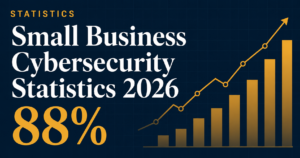
- According to Verizon’s 2025 Data Breach Investigations Report (DBIR), ransomware appeared in 88% of breaches at small businesses, compared with just 39% at large organizations.
- A 2025 survey by PreVeil found 61% of small businesses experienced a breach in the past year.
- Insurer Coalition reported that 79% of SMBs faced at least one attack in the previous five years.
- Many owners still assume they’re invisible: surveys cited by StrongDM found a majority of small businesses with no security believe they’re “too small to be attacked” — which is exactly the assumption attackers count on.
The reasons SMBs get hit harder are consistent: fewer (or zero) dedicated IT staff, little monitoring, slower patching, weaker backups, and limited employee training. For a deeper breakdown, see our small business cybersecurity statistics for 2026 and why small businesses need cybersecurity.
The 5 cybersecurity basics every small business needs
If you do nothing else this quarter, do these five things. They map directly to how real breaches start, so they give you the most protection per dollar and hour spent.
1. Turn on phishing-resistant MFA everywhere
Most breaches begin with a stolen or guessed password. Multi-factor authentication (MFA) stops that by requiring a second proof of identity — ideally a passkey or hardware security key rather than an SMS code, which can be intercepted.
Start with the accounts that would hurt most if lost: email, banking, payroll, your domain registrar, and any admin logins. Learn how it works in our plain-English guide to MFA for business, then compare options in best MFA solutions for small business.
2. Run managed endpoint protection (EDR)
Traditional antivirus only catches malware it already recognizes. Modern endpoint detection and response (EDR) watches for suspicious behaviour — the way ransomware actually unfolds — and can stop it mid-attack. For a small team with no IT staff, a managed EDR service adds human monitoring without a hire.
See the difference in endpoint protection vs antivirus and our tested picks in best EDR for small business.
3. Keep automated, tested backups
Backups are your insurance policy against ransomware. Follow the 3-2-1 rule: three copies of your data, on two types of media, with at least one stored offsite or in an immutable cloud that ransomware can’t reach or encrypt. Critically, test your restores — an untested backup is just a hope.
Full walkthrough in our data backup strategy guide.
4. Use a team password manager
People reuse passwords. A business password manager lets staff use long, unique passwords without memorising them, makes sharing safe, and lets you cut off access instantly when someone leaves. Pair it with a simple password policy and compare tools in best password manager for business.
5. Give staff short, regular security training
Your team is your largest attack surface — and your best sensor. Brief, frequent training plus the occasional simulated phishing email measurably lowers the odds someone clicks the wrong link. Start with our security awareness training starter guide.
What cyber threats should a small business worry about?
The threat landscape in 2026 is dominated by a handful of attack types, most of which now use AI to look more convincing:
| Threat | What it is | First line of defense |
|---|---|---|
| Ransomware | Malware that locks or steals your data for extortion | Backups + EDR + MFA |
| Phishing | Fake emails that trick staff into clicking or paying | Training + email security |
| Business email compromise (BEC) | Impersonating an exec or vendor to redirect a payment | Verify payments out-of-band |
| AI/deepfake scams | AI-written emails or cloned voices | Second-channel verification |
| Supply-chain attacks | Breaching a trusted vendor to reach you | Vendor vetting + least privilege |
Each has its own playbook. Start with the most damaging one: how to protect your small business from ransomware, then browse the full cyber threats hub.
How much should a small business spend on cybersecurity?
Most small businesses spend roughly 3% to 10% of their IT budget on security, but the right figure depends on your data sensitivity, industry, and compliance obligations. Rather than chase a percentage, fund the five basics first — they’re inexpensive — then layer on more as you grow.
We break down realistic numbers, including free and low-cost options, in how much cybersecurity costs for a small business.
Do you have compliance obligations?
Quite possibly. If you take card payments, handle health data, or serve customers in the EU or UK, you likely fall under one or more frameworks:
- PCI-DSS if you process card payments
- HIPAA if you handle US health information
- GDPR / UK GDPR if you hold EU or UK residents’ personal data
The practical move is to map your obligations to the controls you’re already building and document them. Start with the cybersecurity compliance guide for small business, and if you’re in a regulated field, our industry guides for law firms and medical practices translate the rules into checklists.
How do you turn this into an actual program?
Tools alone don’t make you secure — process does. A small business security program has four moving parts:
- Know what you have. List your devices, accounts, and the data that would hurt most if exposed.
- Protect it. Apply the five basics above, prioritised by risk.
- Prepare to respond. Write a simple incident response plan so you’re not improvising during a crisis.
- Keep it current. Patch, review access when people leave, and refresh training.
Our pillar guide on building a security program for your small business walks through each step with templates.
Which security tools are actually worth buying?
We test tools in real small-business setups and rank them on price, ease of setup, and whether they work without a dedicated IT team. Browse all categories in best cybersecurity software for small business, or jump to a specific need:
- Best antivirus for small business
- Best EDR for small business
- Best password manager for business
- Best VPN for small business
- Best cyber insurance for small business
Your 30-day small business cybersecurity plan
You don’t have to do everything at once. Here’s a realistic month:
- Week 1: Turn on MFA for email, banking, and admin accounts. Set up automated backups.
- Week 2: Deploy EDR across all computers. Roll out a password manager.
- Week 3: Run a 20-minute staff training session and a test phishing email.
- Week 4: Write a one-page incident response plan and review who has access to what.
Grab the printable version in our free small business cybersecurity checklist and the detailed 30-day cybersecurity plan.
Frequently asked questions
Do hackers really target small businesses?
Yes. Verizon’s 2025 DBIR found ransomware in 88% of small-business breaches, and most attacks are automated, so being small offers no cover. Attackers favour SMBs precisely because their defenses tend to be weaker.
What’s the single most important security step?
Turning on phishing-resistant MFA on every important account. More breaches start with stolen passwords than with any exotic exploit, so MFA blocks the most common way in.
Is antivirus enough to protect my business?
No. Antivirus only catches known threats, while modern attacks use AI phishing, stolen credentials, and behaviour-based ransomware. You need a layered approach — EDR, MFA, backups, and training — working together. See is antivirus enough?
How much does small business cybersecurity cost?
Often less than people expect. The five basics can be covered for a modest monthly per-user fee, and several strong tools have free tiers. Read our cost breakdown.
Does a small business need cyber insurance?
For most, yes — it helps cover breach recovery, legal costs, and downtime. Note that insurers increasingly require MFA and backups before they’ll issue a policy. Compare options in best cyber insurance for small business.
Sources: Verizon 2025 Data Breach Investigations Report (DBIR); PreVeil 2025 SMB survey; Coalition 2025; StrongDM. Last updated June 2026. This guide is general information, not legal or financial advice.
Reviewed by Nhon Dang, CEO Sunteco Cloud. See our editorial guidelines and affiliate disclosure.