
You do not need a security team to cover the basics. You need a short list, an owner, and an afternoon per item. This checklist turns the U.S. government’s small business guidance into 12 steps you can tick off on this page.
Quick answer: A small business cybersecurity checklist should cover 12 basics: inventory your assets, know what matters most, name an owner and write a policy, turn on MFA, fix passwords, patch, back up and test restores, encrypt laptops, protect every device, train staff, write an incident plan, and review after any incident. Ten of the 12 steps come directly from NIST’s Small Business Quick-Start Guide priorities (Feb 2024); naming an owner and policy (from NIST’s Govern function), staff training and the ordering are our additions.
Key takeaways
- Start with accounts and backups. MFA, passwords and tested backups are on NIST’s list of priorities for small businesses.
- Done means provable. Each step says how you know it is finished.
- Print it. Use the button to save a PDF or print a copy for your records and your insurer.
- Insurers ask about the same controls. See cyber insurance requirements.
On this page: The checklist · At a glance · NIST mapping · How to use it · Next steps · FAQ
The 12-step small business cybersecurity checklist
Tick each box when the “done when” condition is true. Your progress is saved in this browser only.
0 of 12 doneResetPrint or save as PDF
Step 1
Inventory what you haveNIST priority
Done when you have a list of every computer, phone, server, software subscription and online account, each with an owner.
Step 2
Know what matters mostNIST priority
Done when you can name the 3 to 5 assets whose loss would stop the business (for example customer records, accounting, email) and where each one lives.
Step 3
Name an owner and write a short policyOur addition
Done when one named person is responsible for security and a one-page policy exists. Our policy generator can draft it.
Step 4
Turn on MFA for every accountNIST priority
Done when multi-factor authentication is enforced, not optional, on email, admin, finance and remote-access accounts first, then everything else that offers it.
Step 5
Fix passwordsNIST priority
Done when default passwords on routers, printers and cameras are changed and staff use a password manager instead of reusing passwords.
Step 6
Patch and updateNIST priority
Done when automatic updates are on for operating systems, browsers and business apps, and router and firewall firmware is current.
Step 7
Back up and test a restoreNIST priority
Done when backups run automatically, at least one copy is isolated from your network, and you have restored a file or system successfully in the last 12 months.
Step 8
Encrypt laptops and tabletsNIST priority
Done when full-disk encryption (BitLocker on Windows, FileVault on Mac) is on for every laptop and tablet.
Step 9
Protect every deviceNIST priority
Done when current antivirus or anti-malware runs on every business device. EDR is better; insurers increasingly ask for it.
Step 10
Train your staffOur addition
Done when every employee has completed phishing and scam training in the last 12 months and you keep the completion list.
Step 11
Write an incident response planNIST priority
Done when a one-page plan names who decides, who to call (IT, insurer, lawyer, bank) and the first steps, before an incident happens.
Step 12
Review after any incident, and every yearNIST priority
Done when you have a template to record what happened and what changed, and you review the plan and this checklist at least yearly.
The checklist at a glance
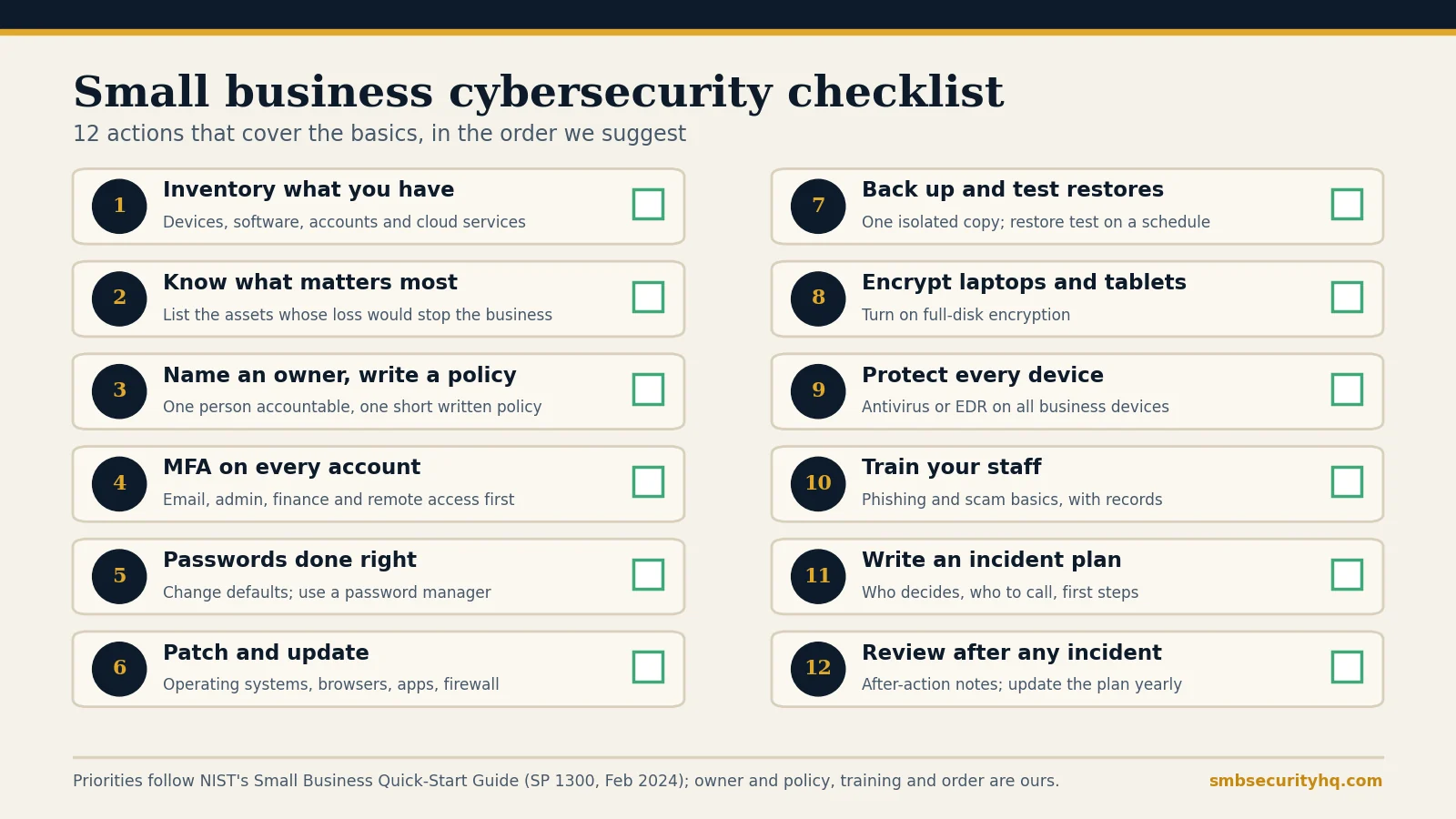
Where does the checklist come from?
NIST’s Cybersecurity Framework 2.0 Small Business Quick-Start Guide groups cybersecurity into six functions: Govern (set strategy, expectations and policy), Identify (understand your risks), Protect (use safeguards), Detect (find possible attacks), Respond (act on an incident) and Recover (restore operations). Its priorities for small businesses include inventorying hardware and software, requiring multi-factor authentication on all accounts, changing default passwords, updating and patching, backing up and testing backups, enabling full-disk encryption, installing antivirus on all devices, and writing a basic incident response plan before you need one.
| Checklist step | NIST function |
|---|---|
| 1. Inventory what you have | Identify |
| 2. Know what matters most | Identify |
| 3. Name an owner and write a policy (our addition) | Govern |
| 4. MFA on every account | Protect |
| 5. Fix passwords | Protect |
| 6. Patch and update | Protect |
| 7. Back up and test a restore | Protect, Recover |
| 8. Encrypt laptops and tablets | Protect |
| 9. Protect every device | Protect, Detect |
| 10. Train your staff (our addition) | Protect |
| 11. Write an incident response plan | Respond |
| 12. Review after any incident | Recover, Govern |
The mapping of steps to functions is our reading of the guide. Source: NIST SP 1300.
How should you use this checklist?
- Pick an owner. One named person, even if they are also the owner of the business.
- Work in order. Steps 1 to 4 take the least money and reduce the most risk.
- Keep proof. Save a screenshot or report for each step. Insurers and customers increasingly ask for evidence.
- Print or save as PDF with the button above, and file it with your date.
- Review it yearly, or after any incident or major change.
What should you do after the checklist?
- Write your policies in minutes with our security policy generator.
- Turn the checklist into a schedule with the 30-day cybersecurity plan.
- Check how an insurer would see you with the cyber insurance readiness check.
- Know what it will cost: how much cybersecurity costs a small business.
- Understand the threats behind the checklist in small business cyber threats.
Frequently asked questions
What should be on a small business cybersecurity checklist?
Inventory, critical assets, an owner and policy, MFA, password hygiene, patching, tested backups, laptop encryption, device protection, staff training and an incident plan. The 12 steps above cover these.
Is there a free cybersecurity checklist PDF?
Yes. Use the “Print or save as PDF” button on this page. It prints the checklist with your ticks, a business name line and a date line.
How long does it take to complete?
It depends on your size and how much is already in place. Many businesses can finish steps 1 to 4 within days; backups, encryption and training take longer. Our 30-day plan spreads the work over four weeks.
Does a checklist replace a security provider?
No. A checklist covers the basics. If nobody can respond to an alert at night, consider managed security services.
How often should I review it?
At least once a year, and after any incident, new system or key staff change.
Is this enough for cyber insurance?
Often it covers many of the controls insurers ask about, but each insurer sets its own rules. See cyber insurance requirements.