
HIPAA does not hand small organizations a short list, which is why practices end up guessing. This checklist turns the Security Rule’s main duties into 12 steps in a sensible order. It is a starting point, not a compliance certification.
Key takeaways
- The risk analysis drives everything. HHS requires an accurate and thorough one, updated as things change.
- Document it. If it is not written down, you cannot show it.
- MFA and encryption: do them now. HHS has proposed making both mandatory, though the rule is not final.
- This applies to business associates too, such as billing firms, IT providers and cloud vendors that handle patient data.
On this page: Who it applies to · The checklist · What is required vs addressable · Breach deadlines · Next steps · FAQ
Who needs to follow HIPAA?
The Security Rule applies to covered entities (most healthcare providers, health plans and clearinghouses) and to their business associates, which are vendors that create, receive, maintain or transmit electronic protected health information (ePHI) for them. A small practice, a billing company or an IT provider serving clinics can all be in scope. If you are unsure, ask your counsel or compliance adviser. Practice-specific guidance: cybersecurity for medical practices.
The 12-step HIPAA checklist
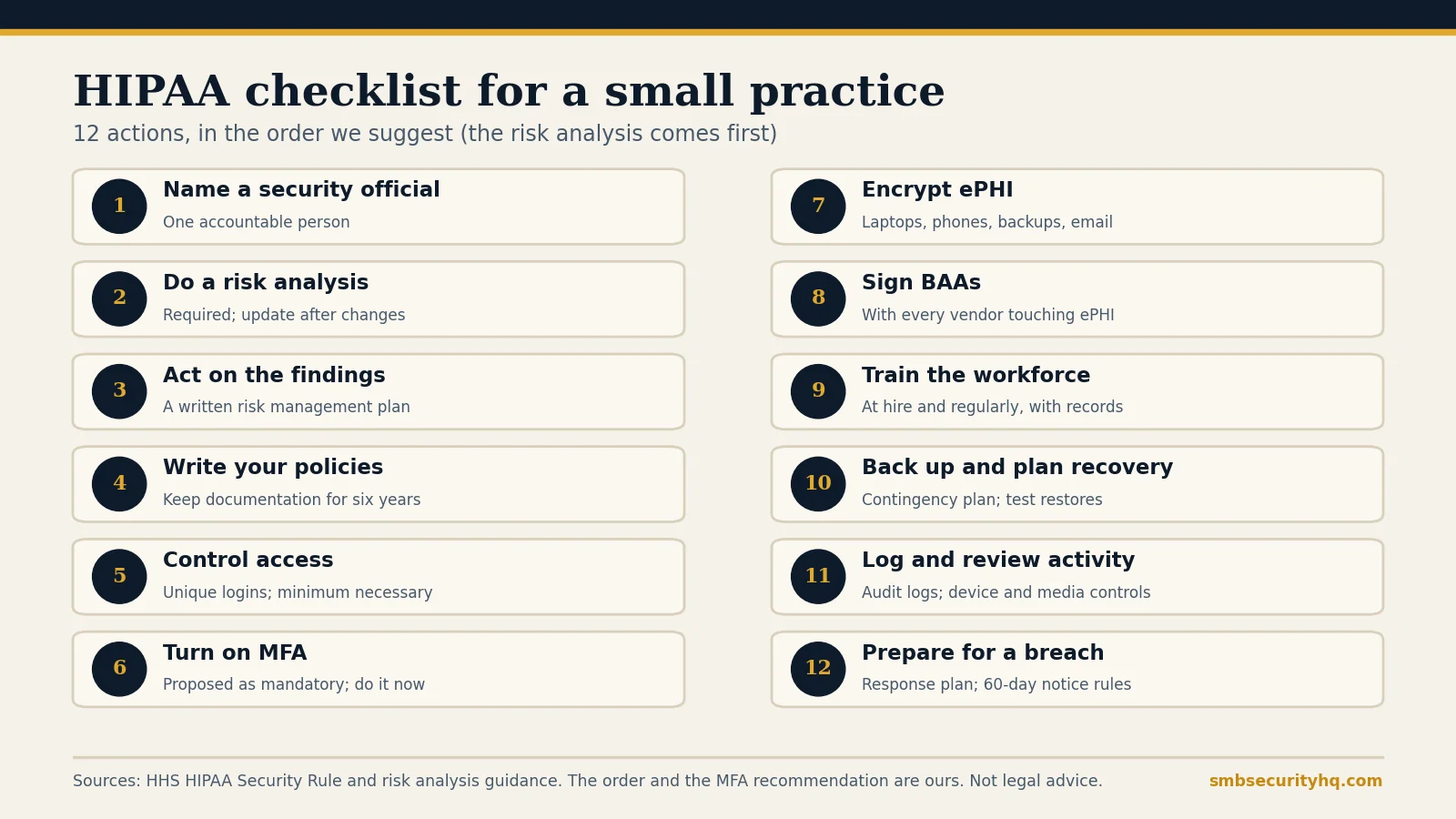
- ☐ 1. Name a security official. One person accountable for the security program. Write down who it is.
- ☐ 2. Do a risk analysis. Required. List where ePHI lives, threats, vulnerabilities, current safeguards, likelihood, impact and risk level. HHS offers a free Security Risk Assessment Tool for small practices. Update it after incidents, new technology or staff changes.
- ☐ 3. Act on the findings. Turn the risk levels into a written risk management plan with owners and dates.
- ☐ 4. Write your policies and keep the records. Cover access, devices, incident response and sanctions. HIPAA documentation is generally kept for six years; confirm with your adviser.
- ☐ 5. Control access. Unique user IDs, no shared logins, and access limited to what each role needs. Remove accounts when people leave.
- ☐ 6. Turn on multi-factor authentication. For the EHR, email, remote access and admin accounts. See what MFA is.
- ☐ 7. Encrypt ePHI. Laptops, phones, removable media, backups and email that carries patient data.
- ☐ 8. Sign business associate agreements. With every vendor that touches ePHI, and include them in your risk analysis.
- ☐ 9. Train the workforce. At hire and regularly, with records. See security awareness training.
- ☐ 10. Back up and plan for recovery. A data backup and contingency plan, with tested restores: backup strategy.
- ☐ 11. Log and review activity. Keep audit logs, review them, and control devices and media that carry ePHI.
- ☐ 12. Prepare for a breach. Know who decides, who to call and the notification deadlines below: incident response plan template.
What is “required” versus “addressable”?
Under the current Security Rule, some implementation specifications are required (the risk analysis is one) and others are addressable, which means you must assess whether they are reasonable for your organization, implement them or an equivalent, and document your decision. Encryption is currently addressable. The proposed Security Rule update from January 2025 would remove that distinction and make most specifications mandatory, including encryption and MFA. Sources we checked in 2026 say the rule is still a proposal, with finalization projected around July 2027. Check HHS for the current status.
What are the HIPAA breach notification deadlines?
Per the HHS Breach Notification Rule page:
- Affected individuals: without unreasonable delay and no later than 60 days after discovery.
- HHS, 500 or more individuals: without unreasonable delay and no later than 60 days. Media notice is also required if the breach involves more than 500 residents of a state.
- HHS, fewer than 500 individuals: annually, within 60 days after the end of the calendar year.
- Business associates: notify the covered entity without unreasonable delay and no later than 60 days after discovery.
State laws can be stricter. See the deadline chart in our medical practice guide.
What should you do next?
- Run the risk analysis this month, and book the next review.
- Work through the general 12-step cybersecurity checklist for the non-HIPAA basics.
- Draft written policies with our security policy generator and have them reviewed for HIPAA.
- Check insurance: cyber insurance requirements and the readiness check.
- Pick tools: best cybersecurity software for small business.
Frequently asked questions
What is the first step in HIPAA compliance?
Name a security official and run a documented risk analysis. The risk analysis is required by the Security Rule and drives the rest of your safeguards.
Does HIPAA apply to small businesses?
Yes, if you are a covered entity or a business associate handling ePHI. Size does not exempt you, though safeguards can be scaled to your size and risk.
Is there a HIPAA certification?
HHS does not certify organizations as HIPAA compliant. Vendors that sell “HIPAA certification” are offering their own programs.
How often do I need to do a risk analysis?
HHS does not set a fixed frequency. It expects the analysis to be updated as conditions change, such as after an incident, new technology or staff turnover.
Does HIPAA require encryption and MFA?
Encryption is currently addressable and MFA is not explicitly required, but HHS has proposed making both mandatory. The rule is not final, so check HHS, and do both anyway.
What are the penalties for a HIPAA violation?
Penalties are tiered by culpability and adjusted for inflation. Check HHS for current amounts rather than relying on a figure in an article.
Sources
- HHS: Guidance on risk analysis
- HHS: Breach Notification Rule
- HealthIT.gov: Security Risk Assessment Tool
- HIPAA Journal: HIPAA updates and changes in 2026 (proposed Security Rule update; status as of the article)
- Accusights: The HIPAA Security Rule update is still a proposal (2026)
SMB Security HQ provides general information, not legal, medical, financial or professional security advice, and is not a HIPAA compliance consultancy. Regulations change; confirm current requirements with HHS or a qualified adviser. See our Affiliate Disclosure and How We Test.